How to Implement Document Assembly Software for Lawyers
Table Of Content
Published Date :
12 Mar 2026
Key Takeaways:
- Manual drafting reduces efficiency and impacts margins.
- Document assembly software for lawyers standardizes documents and cuts revision time.
- Clear ROI metrics are essential before implementation.
- Template cleanup must happen before automation.
- Integration with existing systems drives real value.
- Built-in compliance controls reduce operational risk.
- Document assembly software for law firms enables scalable growth without proportional hiring.
Introduction
Clients today expect faster turnaround, predictable pricing, and zero errors. At the same time, partners are under pressure to protect margins while associates spend hours drafting documents.
Manual drafting increases risk. One outdated clause, one missed jurisdiction update, and suddenly there’s exposure no firm wants to explain. On top of that, competitive bids now demand efficiency and consistency, not just legal expertise.
This is why many firms across the United States are evaluating document assembly software for lawyers. The firms that streamline document production are freeing lawyers to focus on advisory work, negotiation, and strategy.
What is Document Assembly Software in Legal Practice?
In practical terms, legal document assembly software is a system that generates complete, accurate legal documents based on structured inputs rather than manual drafting. Instead of copying old files and editing line by line, a system builds the document automatically using predefined rules.
That sounds simple. But there is a big difference between basic templates and true rule-based automation.
Templates are static. Macros automate small tasks inside word. Real document assembly software for lawyers works differently. It uses conditional logic. If a client is in California, certain clauses appear. If the deal value exceeds a threshold, additional protections are inserted. If the entity type changes, entire sections adjust automatically.
Common use cases across U.S. firms include:
- Commercial contracts and NDAs
- Litigation pleadings and motions
- Estate planning packages
- Corporate formation and governance documents
- Employment agreements and policy documentation
Here’s what makes it powerful. The knowledge of senior partners becomes embedded inside the system. Junior associates follow structured workflows. Documents come out consistent, compliant, and review-ready.
Planning to Modernize Your Law Firm Document Workflows?
Evaluate automation opportunities, identify high-impact documents, and implement scalable legal document generation systems designed for operational efficiency.
When Should a Law Firm Implement Document Assembly Software?
Every technology decision in a law firm must tie back to revenue, risk, or scalability. The same applies to document assembly software for lawyers.
Firms usually reach a tipping point. Associates spend 30 to 40 percent of their week revising repetitive agreements. Partners review near-identical drafts multiple times. Multi-office firms struggle to keep language consistent across jurisdictions. And despite long hours, profitability per matter remains flat.
Here are clear signals that it’s time to act:
- High-volume repetitive drafting across practice areas
- Frequent client-specific revisions that follow predictable patterns
- Standardization gaps between offices
- Compliance-heavy matters where outdated clauses create risk
- Growing workload without proportional hiring
But here’s the catch. Automation only works when processes are already structured. If documents are inconsistent across partners, software won’t magically fix chaos. It will simply automate inconsistency.
When implemented correctly, AI software for law firms to reduce drafting time by 40 to 60 percent for high-frequency documents. That translates into faster turnaround, better realization rates, and improved client satisfaction.
Step-by-Step Implementation Roadmap
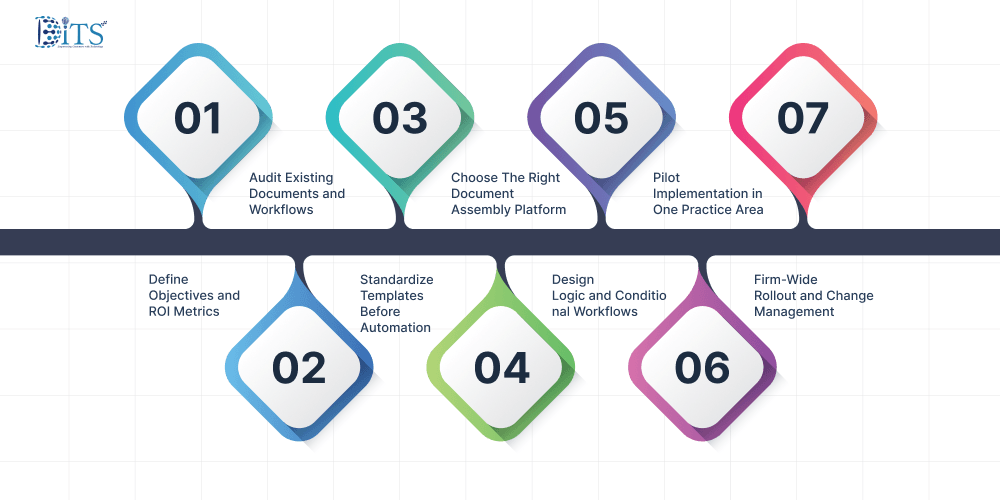
Any software needs a careful implementation in steps. Let us now explore the step-by-step implementation of the document assembly software for lawyers.
Step 1: Define Objectives and ROI Metrics
- Reduce drafting time: Set a baseline per document and target a realistic 30–60% reduction for repeatable work.
- Improve document consistency: Lock approved language so every office and team generates the same standard output.
- Lower write-offs: Cut revision cycles and rework so fewer hours get discounted or written off after review.
- Increase turnaround speed: Shorten client delivery timelines by removing manual drafting and formatting delays.
Step 2: Audit Existing Documents and Workflows
- Identify high-frequency documents: Prioritize the 10–20 documents drafted most often because they deliver the fastest ROI.
- Map drafting process from intake to final approval: Document who does what, when, and where delays or handoffs slow delivery.
- Analyze revision cycles and bottlenecks: Track the top reasons drafts come back for edits so automation can address the real friction points.
Step 3: Standardize Templates Before Automation
- Clean up outdated clauses: Remove old language and update provisions that no longer reflect current regulations or firm standards.
- Align language across partners: Create one approved version per document type so automation doesn’t reproduce conflicting preferences.
- Embed jurisdiction-specific compliance requirements: Build state or court-specific rules into templates so required clauses appear automatically.
Step 4: Choose The Right Document Assembly Platform
- Cloud vs on-premise: Select based on security policy, client requirements, and how quickly you need new features deployed.
- Integration with case management systems: Ensure matter and client data can flow into documents without manual re-entry.
- Microsoft Word compatibility: Confirm attorneys can edit, redline, and finalize documents in Word without breaking automation logic.
- Security standards (SOC 2, encryption, data residency): Validate the platform meets audit expectations and protects client data end-to-end.
- U.S. bar and client confidentiality considerations: Confirm controls support ethical duties, access restrictions, and traceable accountability.
In many cases, firms engage experienced IT consulting services to evaluate infrastructure compatibility, assess cybersecurity posture, and validate integration feasibility before committing to a deployment strategy. This reduces implementation risk and ensures the chosen solution aligns with both operational and compliance requirements.
Step 5: Design Logic and Conditional Workflows
- Intake questionnaires: Turn matter intake into structured questions that consistently capture the data needed for drafting.
- Clause libraries: Centralize approved clauses so drafting pulls from a controlled source rather than personal precedent files.
- Jurisdiction-based rules: Auto-switch sections and wording based on state, venue, or governing law requirements.
- Risk-based provisions: Add stronger protections automatically when deal size, liability, or exposure crosses defined thresholds.
Step 6: Pilot Implementation in One Practice Area
- Select a controlled team: Start with a small group that owns a predictable document set and can provide fast feedback.
- Measure drafting time before and after: Track time-to-first draft and time-to-final to quantify real operational gains.
- Collect attorney feedback: Use real drafting experiences to refine questions, logic, and clause options before scaling.
Step 7: Firm-Wide Rollout and Change Management
- Partner buy-in: Secure leadership approval so standards stick and adoption doesn’t stall at the top.
- Associate training: Train teams on how to use the system correctly so outputs remain consistent and defensible.
- Internal champions: Assign power users who support others and keep momentum during the first 30–60 days.
- Documentation and SOP updates: Update workflows so automation becomes the default process, not an optional extra step.
Integration with Existing Legal Tech Stack
No system operates in isolation. For document assembly software for law firms to deliver value, it must connect easily with the tools lawyers already use every day.
Most U.S. firms rely on a mix of platforms. Practice management software tracks matters. CRM systems manage client relationships. E-signature tools close agreements. Billing systems capture time entries. Document management systems store finalized files.
When integration is done right, data flows automatically. Client information from CRM populates intake questionnaires. Matter details from case management trigger correct templates. Final documents are saved directly into DMS with proper naming conventions and version control. Billing reflects reduced drafting time without manual adjustments.
Without integration, automation becomes another silo.
This is where structured software development services becomes essential. Custom connectors, API integrations, and workflow mapping ensure that automation strengthens the ecosystem.
Compliance, Ethics, and Data Security Considerations
Law firms operate under strict ethical obligations. Any automation initiative must align with ABA Model Rules and state bar requirements.
Key considerations include:
- Client confidentiality and data encryption standards
- Secure cloud hosting within approved jurisdictions
- Role-based access controls to prevent unauthorized edits
- Audit trails for every generated document
- Version tracking to support defensibility
Here’s what leadership often worries about. Does automation increase risk?
In practice, automation actually reduces the risk. Structured clause libraries minimize use of outdated provisions. Conditional logic ensures jurisdiction-specific language is applied consistently. Audit logs provide traceability that manual drafting rarely offers.
Still, due diligence matters. Firms should conduct security reviews and, where needed, leverage experienced advisors who understand both technology and legal compliance frameworks.
Looking to Automate High-Volume Legal Document Creation?
Discover how structured automation transforms repetitive drafting into streamlined workflows while reducing review cycles and improving turnaround times.
Strategic Benefits Beyond Efficiency
Speed is the obvious benefit. But it’s rarely the most strategic one.
When drafting time drops by 50 percent for recurring documents, associate capacity expands. Instead of hiring two additional junior attorneys, firms may scale output with existing teams. That shifts cost structures significantly.
Client experience improves as well with faster turnaround times and fewer errors. Greater consistency across offices. In competitive RFP scenarios, operational efficiency becomes a differentiator.
There’s also risk mitigation. Standardized language reduces exposure. Automated compliance rules prevent accidental omissions. Institutional knowledge becomes embedded into workflows instead of residing only in senior partners’ heads.
Over time, document assembly software for lawyers supports broader digital transformation services initiatives. It signals to clients and stakeholders that the firm operates with discipline and modern infrastructure.
Why Choose DITS for Document Assembly Software Development and Integration
Successful implementation of document assembly software for lawyers depends on how well the system is built and how easily it integrates into your existing legal environment. Development and integration determine whether automation becomes a productivity engine or just another disconnected tool.
At DITS, the focus is on engineering structured, scalable platforms that align with real-world legal workflows. We design the architecture to support dynamic questionnaires, clause libraries, jurisdiction-based rules, and approval hierarchies without disrupting how attorneys operate their existing systems.
Integration is treated as a core pillar, not an afterthought. The platform connects directly with:
- Practice management systems for matter-level data flow
- CRM platforms for client information synchronization
- Billing systems for time tracking alignment
- Document management systems for automated storage and version control
- E-signature platforms for streamlined execution
Data moves automatically across systems, reducing duplication and minimizing manual errors. That interoperability ensures the legal document assembly software strengthens your broader technology ecosystem instead of creating silos.
We also strengthen deployments with structured AI integration services, embedding intelligent validation, rule refinement, and workflow optimization capabilities directly into the software. AI is further used within our development lifecycle to enhance code quality, automate testing, and support long-term maintainability.
Security and compliance controls are engineered into the core architecture, including encryption, role-based access, audit logs, and configurable data residency options aligned with U.S. legal standards.
The objective is straightforward. A fully integrated, secure, and adaptable document assembly software for law firms platform that scales with your firm’s growth and operational complexity.
Need Secure Document Automation For Your Law Firm?
Implement enterprise-grade document assembly with built-in compliance, encryption, and integrations that align with modern legal technology environments.
Conclusion
Law firms across the United States are redefining operational efficiency. Clients demand precision, speed, and cost transparency. Partners demand sustainable margins. Associates demand structured workflows that reduce repetitive work.
Document assembly software for lawyers addresses all three pressures when implemented strategically. It standardizes drafting, reduces risk, accelerates turnaround, and supports scalable growth without proportional hiring.
The firms that act early embed institutional knowledge into systems and gain measurable advantages. Those that delay often find themselves reacting to client expectations instead of shaping them.
Technology alone does not create competitive advantage. Strategic implementation does.
Frequently Asked Questions
Is document assembly software secure for client-sensitive data?
Yes, when implemented with proper encryption, role-based access controls, and audit logging. Enterprise-grade document assembly software for law firms is designed to meet strict confidentiality standards and can align with ABA compliance expectations.
How long does implementation typically take?
For mid-sized firms, pilot deployment usually takes 60 to 90 days. Full rollout may require three to six months depending on integration complexity and document volume.
Will automation reduce billable hours?
Not necessarily. Many firms reallocate saved time toward higher-value advisory work. Some even introduce fixed-fee models with improved profitability due to reduced drafting effort.
Can small law firms benefit from document assembly?
Absolutely. Smaller firms often see faster ROI because they rely heavily on standardized agreements. Even automating five high-frequency documents can create significant time savings.
Does it integrate with existing legal software?
Yes, with proper architecture planning. Through structured software development services, systems can integrate with case management platforms, CRM tools, billing software, and DMS environments without disrupting existing workflows.

Dinesh Thakur
21+ years of IT software development experience in different domains like Business Automation, Healthcare, Retail, Workflow automation, Transportation and logistics, Compliance, Risk Mitigation, POS, etc. Hands-on experience in dealing with overseas clients and providing them with an apt solution to their business needs.
Recent Posts
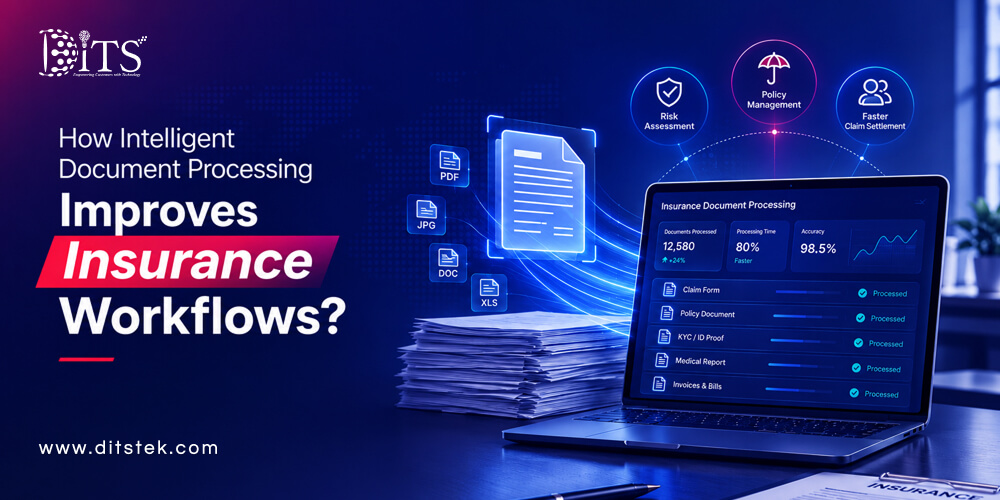
Explore how intelligent document processing for insurance helps businesses automate document workflows, reduce processing costs, improve accuracy, and strengthen operational efficiency across insurance functions.
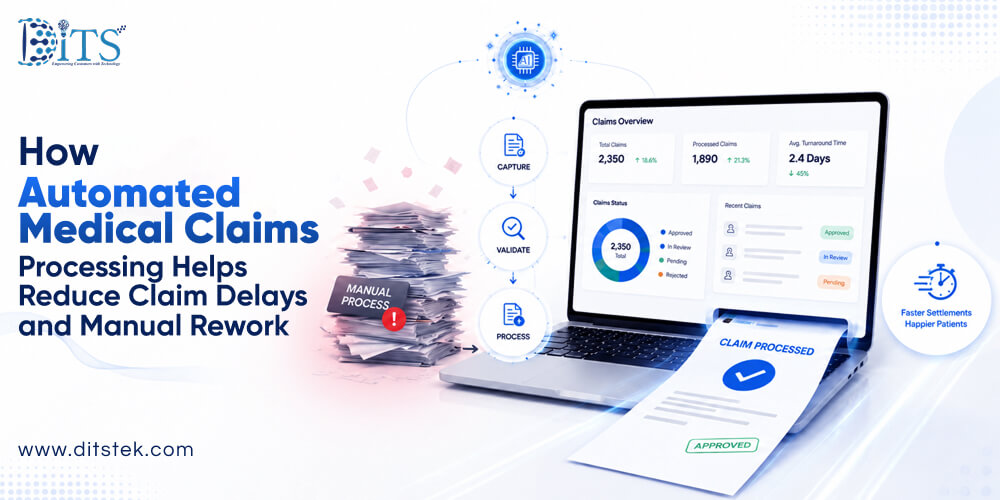
Discover how automated medical claims processing reduces delays, manual rework, claim denials, and administrative costs while improving reimbursement speed and operational efficiency.

Learn how to build medical billing software with essential features, integrations, security, and development costs.