Scheduling Depends on Manual Coordination
Schedulers spend too much time checking caregiver availability, calling employees, filling open visits, resolving conflicts, and responding to last-minute cancellations or call-outs.
Connect the workflows behind care delivered at home. DITS helps home care providers improve scheduling, caregiver coordination, documentation, billing, system integration, automation, and operational visibility, reducing administrative friction and creating a stronger technology foundation for consistent service delivery and scalable growth.
Discuss Your Home Care OperationsEffective home care software solutions begin by understanding how referrals, clients, caregivers, schedules, visits, documentation, billing, and exceptions work together. Our home care workflow automation approach identifies where fragmented systems and manual coordination are creating operational friction before we recommend technology.
Schedulers spend too much time checking caregiver availability, calling employees, filling open visits, resolving conflicts, and responding to last-minute cancellations or call-outs.
Availability, qualifications, service areas, clients, schedules, time records, documents, and performance information can sit across several applications, spreadsheets, and communication channels.
Completed home visits may still require manual verification, documentation review, timesheet reconciliation, authorization checks, and billing preparation before the organization can invoice or submit claims.
Incorrect clock-ins, incomplete visit information, location exceptions, schedule changes, and missing documentation can require repeated investigation before operational or financial teams can proceed.
Care notes, assessments, observations, service records, and required forms may not reach supervisors quickly enough to support follow-up, billing, care coordination, or quality review.
Leadership may know the organization is busy without knowing which visits are uncovered, which teams are overloaded, where billing is blocked, or which operational exceptions require attention.
New clients, caregivers, branches, payers, programmes, and service lines can increase manual coordination faster than the organization can expand its back office.
The current platform may still perform useful functions while restrictive interfaces, architecture, integrations, data, or reporting make operational improvement increasingly difficult.
The value of home care technology solutions should appear in daily operations, not only in feature lists. Our home care automation approach connects caregivers, visits, information, financial workflows, and management visibility around measurable operating priorities.
Remove repeated data entry, schedule updates, status checks, reminders, document routing, reconciliation, and other predictable work.
Give schedulers earlier visibility into uncovered visits, caregiver availability, conflicts, changes, and assignments requiring intervention.
Reduce unnecessary administrative steps so field teams spend more time on care-related responsibilities and less time navigating disconnected processes.
Connect care plans, visits, observations, tasks, alerts, communication, and follow-up across everyone responsible for the client.
Connect authorized services, completed visits, EVV, documentation, and financial workflows so billing begins with stronger operational information.
Give managers clearer information about workforce capacity, visits, documentation, billing, exceptions, and service activity.
Standardize core workflows while allowing appropriate configuration across branches, payers, programmes, service models, and markets.
Improve workflow, data, integration, and governance before introducing intelligent capabilities that depend on reliable operational information.
DITS built a scalable remote patient monitoring platform connecting patient intake, device data, care-team assignment, escalation, caregiver access, documentation, and CPT-aligned billing. With 700+ active users across 10 clinics, the platform demonstrates how distributed care workflows can operate through one configurable SaaS environment.
Explore Portfolio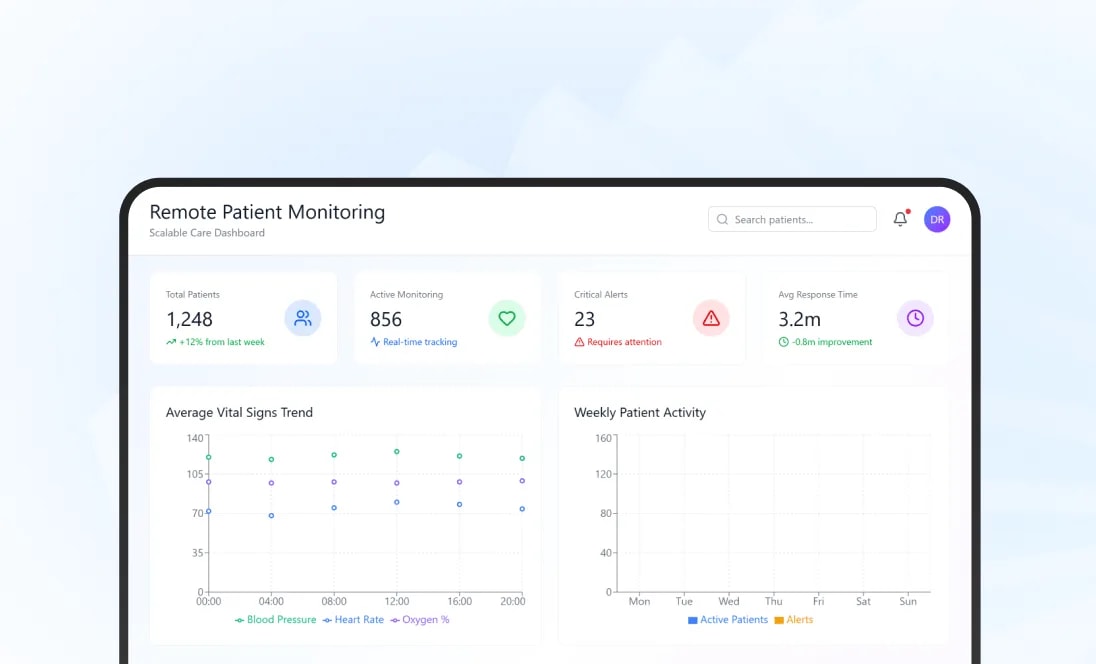
Our team developed a cloud platform connecting employee availability, shift planning, task tracking, timesheets, approvals, healthcare billing, and operational dashboards. The published engagement reports stronger billing accuracy, fewer manual errors, and improved team productivity, providing relevant proof for workforce-intensive home-care operations.
Read Full Portfolio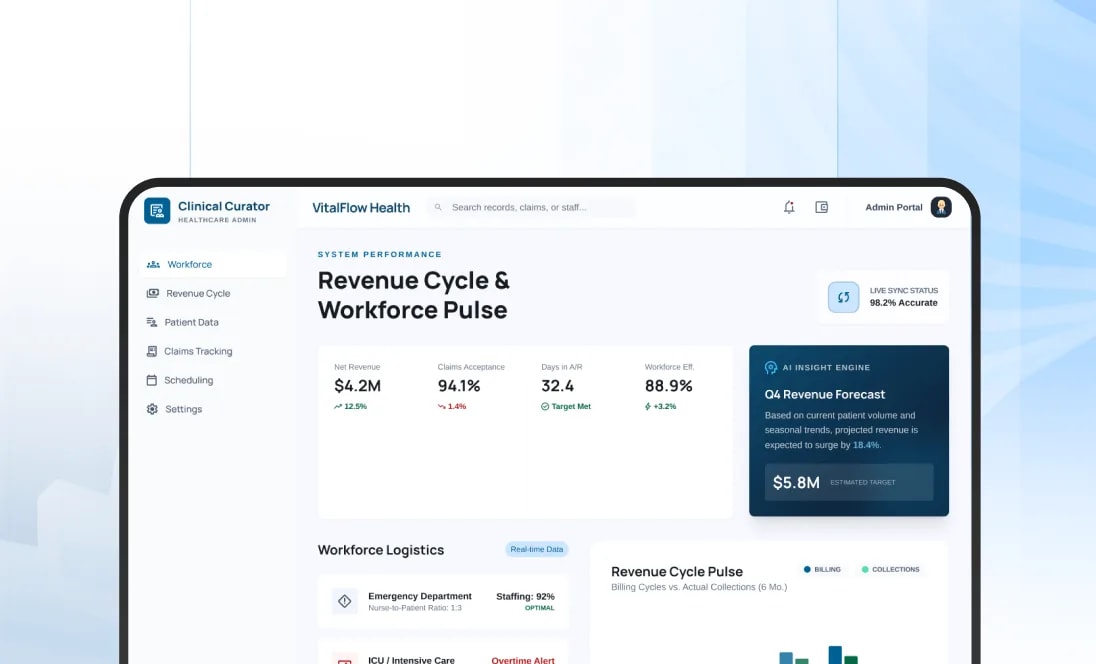
DITS modernized an EHR used by more than 35,000 daily users across 30+ agencies, combining scheduling, EVV, clinical and administrative documentation, billing, care coordination, reporting, and secure communication. The engagement provides relevant proof for complex distributed-care environments without being presented as a dedicated home-care implementation.
Explore Portfolio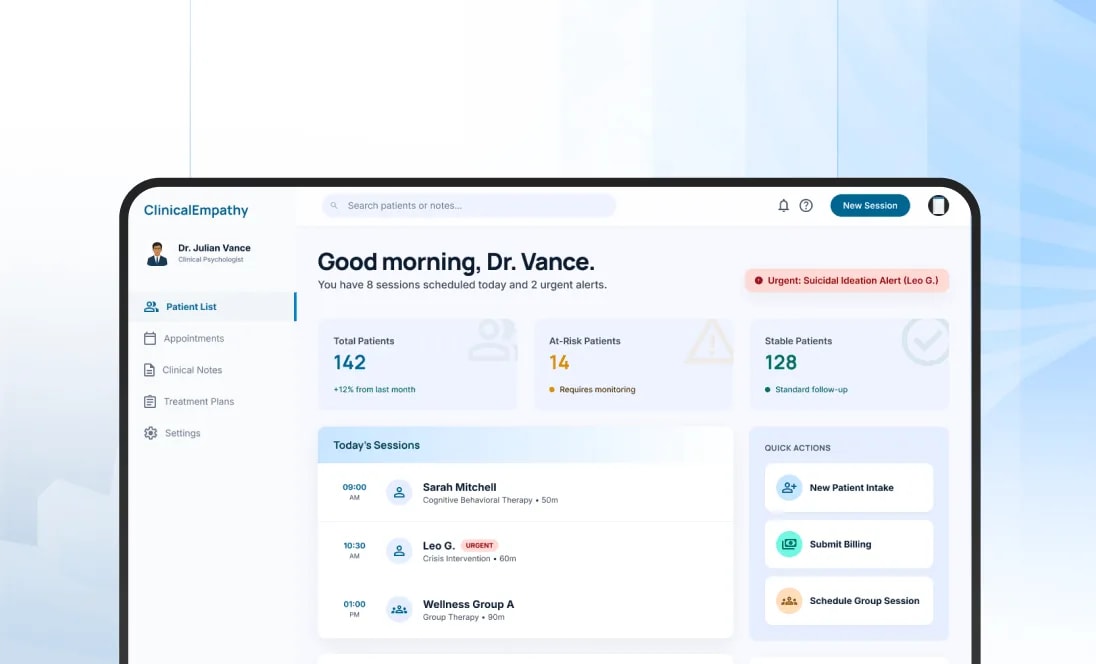
Our consulting approach separates the operating problem from the requested home care software. Depending on the constraint, the right intervention may involve home care software integration, workflow redesign, automation, modernization, configuration, or targeted product engineering rather than another full platform replacement.
Remove unnecessary steps, duplicate information, repetitive approvals, and workarounds before converting them into digital workflows.
Create clearer process stages, responsibilities, information requirements, rules, and exception paths where inconsistent execution prevents reliable operations.
Integrate applications when staff currently act as the bridge between scheduling, EVV, care documentation, billing, payroll, or other systems.
Use predictable rules for task creation, routing, reminders, validation, notifications, reconciliation, and other repeatable work.
Improve applications, interfaces, architecture, databases, cloud infrastructure, or APIs when existing technology is limiting operational change.
Add selected capabilities when the existing platform still creates value but lacks important workflows or integrations.
Introduce AI when information extraction, knowledge access, prioritization, prediction, or assistance creates defensible value.
Develop new product capability when configuration, reuse, integration, and modernization cannot reasonably support the required operating model.
Modern home care software should connect frontline service delivery with the back-office workflows around it. Our home care software solutions can address an individual constraint or support transformation across a broader operating environment.
Manage referrals, client information, service requirements, assessments, payer information, documents, authorizations, and the transition into active service.
Create structured client profiles, goals, care plans, service instructions, assigned activities, preferences, and appropriate changes over time.
Manage caregiver profiles, availability, qualifications, skills, service areas, assigned clients, documentation, and relevant workforce information.
Coordinate recurring visits, open shifts, caregiver availability, client requirements, changes, reassignment, notifications, and scheduling exceptions.
Connect visit verification with planned schedules, caregiver activity, service information, documentation, exceptions, and financial workflows.
Give field staff access to relevant client information, tasks, forms, observations, visit notes, signatures, and required documentation.
Connect completed services with authorization, EVV, documentation, claims or invoices, reconciliation, payments, and reporting.
Bring plans, tasks, alerts, communication, follow-up, escalations, and client activity together across the people responsible for care.
Provide appropriate communication, scheduling, approved information, service updates, documents, and digital self-service.
Bring workforce, visit, financial, documentation, and service information into dashboards that support management decisions.
Strong home care scheduling automation should reduce repetitive coordination while keeping schedulers responsible for decisions where continuity, caregiver-client fit, geography, qualifications, or service complexity matters. Our home care technology solutions connect workforce information with real scheduling requirements.
Maintain current caregiver availability so coordinators do not have to reconstruct staffing information through calls and messages.
Use approved criteria such as availability, role, skills, service area, client requirements, and other appropriate attributes to narrow assignment options.
Create repeatable visit schedules while supporting changes in caregiver availability, authorizations, client requirements, or programme conditions.
Identify overlapping visits, unavailable caregivers, duplicate assignments, or missing coverage before they affect service delivery.
Surface unfilled visits and create structured processes for outreach, acceptance, reassignment, and escalation.
Notify appropriate caregivers, coordinators, clients, or families when confirmed changes affect the planned visit.
Use location and travel information where route feasibility and geography materially affect assignment decisions.
Keep schedulers responsible when client relationships, continuity of care, safety, or other contextual factors outweigh automated recommendations.

Home care workflow automation works best when the entire process is considered together. We connect people, tasks, systems, documents, rules, approvals, and exceptions so home care automation reduces handoffs rather than simply automating isolated screens.
Collect information, validate requirements, assign ownership, request missing items, and track the progression from referral to active client.
Connect approved services and relevant payer information with scheduling so teams understand what can be delivered and when.
Move approved assignments into caregiver workflows with client information, tasks, instructions, notifications, and required documentation.
Trigger appropriate visit notes, service records, assessments, signatures, follow-up tasks, or other required records.
Route incomplete, unusual, or review-required information to supervisors without forcing every record through the same process.
Move verified and documented service activity into financial workflows with fewer manual handoffs.
Assign missed visits, EVV issues, documentation gaps, authorization problems, and other exceptions to accountable users.
Keep required care, documentation, financial, or communication activity visible until the workflow reaches an agreed outcome.
Scheduling, EVV, documentation, care coordination, and billing should not operate as independent processes. Bring us the workflow creating friction, and our team can determine where home care workflow automation, integration, or targeted improvement can create the strongest operational value.
Assess Your Home Care WorkflowsEVV creates greater operational value when it works inside the wider home care software environment. Our home care software integration approach can connect visit verification with scheduling, field activity, documentation, exceptions, billing, payroll, and external programme requirements.
Capture the service, person receiving care, caregiver, date, time, location, and other information required by the applicable EVV environment.
Compare verified visit activity with planned schedules so differences can be identified without requiring full manual review.
Allow caregivers to view assignments, clock in and out, record appropriate service information, and complete required visit activities from the field.
Support appropriate workflows where field connectivity is inconsistent and visit information needs to synchronize safely later.
Create structured workflows for missing clock-ins, inaccurate times, changed visits, location exceptions, and other verification problems.
Route exceptions requiring correction or approval to the appropriate operations team with supporting context.
Use validated visit information as an input to billing readiness rather than asking financial teams to reconstruct what happened independently.
Support appropriate interfaces with state systems, EVV aggregators, managed-care organisations, or payer environments according to the operating market.
Home care billing automation should connect finance with what actually happened during service delivery. Our home care software solutions can link authorization, schedules, EVV, documentation, payer information, and billing rules so avoidable problems are identified before submission or invoicing.
Give teams visibility into relevant authorized services, dates, units, or programme limitations before services move too far downstream.
Check whether a delivered visit contains the verification and documentation required by the organization's billing workflow.
Create structured billable activity from approved service information without requiring repeated manual entry from visit notes or timesheets.
Support appropriate claim or invoice workflows based on payer, programme, funding model, and service type.
Identify missing information, inconsistent visit activity, documentation gaps, EVV problems, or authorization issues requiring intervention.
Connect payment or remittance information with submitted services where payer and clearinghouse integrations support it.
Give finance teams visibility into unpaid balances, payer responses, follow-up activity, and unresolved financial work.
Support invoices, payments, service charges, statements, and relevant customer communication where the organization serves private-pay clients.
Modern home care software should help field teams capture useful information without turning every visit into an administrative exercise. Our home care technology solutions connect documentation with care plans, follow-up, communication, supervision, and other operational activity.
Allow caregivers and clinicians to record relevant notes while information is still current rather than waiting until they return to the office.
Use appropriate forms, checklists, assessments, observations, and signatures according to the organisation's service model.
Make current care or service instructions accessible to authorized field staff at the point of care.
Capture completion of planned activities and identify items that could not be completed or require further action.
Allow field staff to record relevant changes, concerns, client requests, or service conditions requiring review.
Route selected records to supervisors where documentation, safety, service, or clinical conditions require additional oversight.
Turn appropriate observations into accountable follow-up tasks rather than leaving important information buried inside narrative notes.
Bring visits, plans, tasks, communications, and history together so care teams do not reconstruct the client's situation from separate systems.
Effective home care technology solutions should improve communication around care without creating another standalone portal. Our home care software approach connects patients, families, caregivers, and office teams with the information and actions relevant to their role.
Give patients access to appropriate schedules, service information, communication, documents, or care-related resources.
Provide authorized family members with approved visibility into schedules, updates, communication, and relevant service information.
Give field staff a clear view of assignments, directions, client information, tasks, communication, and documentation requirements.
Send appropriate confirmations, reminders, change notices, arrival information, or service updates to relevant users.
Connect office teams, caregivers, patients, and families through approved communication workflows rather than scattered personal messaging.
Collect service feedback, concerns, or requests and route them to accountable teams.
Allow appropriate profile, schedule, communication, payment, or information requests to be completed digitally where doing so genuinely reduces administrative work.
Design patient and caregiver experiences around readability, simple interaction, responsive layouts, and the real environments in which the applications are used.
Home care software integration prevents staff from becoming the manual connection between applications. Our home care software solutions can exchange relevant information with healthcare, workforce, financial, communication, monitoring, and analytical systems where connected workflows create value.
Exchange appropriate patient, clinical, scheduling, or documentation information when home-based care operates as part of a wider provider ecosystem.
Connect the operational platform with state systems, aggregators, payers, or other required visit-verification environments.
Support appropriate eligibility, claims, remittance, authorization, or financial information exchange.
Connect approved visit and time information with payroll, HR, credential, or workforce applications where relevant.
Move referral, partner, contact, intake, and pipeline information into the operating workflow without repeated entry.
Exchange relevant medication or pharmacy information where it forms part of the organization's care responsibilities.
Bring patient-generated data and supported connected-device information into care, monitoring, alert, or follow-up workflows.
Feed approved operational, service, workforce, and financial information into analytical environments for wider management visibility.
Understand architecture, modules, workflows, users, data, technical debt, integrations, security, performance, and business dependencies.
Address reliability, testing, documentation, security, performance, deployment, or observability problems that make the current system risky to change.
Expose useful legacy functionality through governed interfaces when the main limitation is that other applications cannot connect with it.
Improve scheduler, caregiver, administrator, patient, and family experiences without automatically replacing useful backend capability.
Refactor or rearchitect selected areas where coupling, technical debt, or unsupported components restrict scale or product evolution.
Improve databases, reporting, analytical foundations, information access, and data relationships where the current data layer is limiting operations.
Move or replatform suitable workloads when cloud services provide meaningful benefits for scale, resilience, integration, deployment, or operations.
Replace modules progressively when selected parts of the application no longer present an economical modernization path.
Home care operational analytics should help leaders identify conditions requiring attention before they turn into missed visits, staffing pressure, delayed billing, or service issues. Our home care software approach connects reporting to the workflows managers can actually influence.
Understand caregiver availability, scheduled hours, assignments, utilization, overtime conditions, and open coverage.
Track scheduled, completed, missed, cancelled, rescheduled, late, or exception-based visits according to the organization's operating model.
Identify branches, service lines, client groups, or time periods where open visits and staffing pressure repeatedly occur.
Monitor recurring verification problems and understand where correction work is consuming office capacity.
Track incomplete, overdue, or review-required visit records affecting operations or financial readiness.
Show which completed services are ready to progress financially and which are blocked by missing information or exceptions.
Compare approved, scheduled, delivered, and remaining services where authorization-based operating models require it.
Give leadership a consolidated view across locations without manually combining spreadsheets and local reports.

AI can strengthen home care automation, but it should not become another tool staff need to manage. We apply intelligence within home care workflow automation when information processing, prioritization, prediction, or assistance creates a clear improvement and appropriate human control remains in place.
Assist with summarization, structuring, extraction, or draft preparation where staff remain responsible for reviewing important records.
Help teams retrieve approved policies, procedures, payer guidance, training information, and operational knowledge more efficiently.
Use available workforce and visit information to prepare assignment options while leaving context-sensitive decisions with schedulers.
Surface visits, records, billing issues, or operational cases that deserve faster review based on defined criteria.
Extract or classify information from referrals, forms, service records, payer documents, or other administrative material.
Use appropriate historical data to support staffing, workload, demand, or other validated forecasting use cases.
Use agents for bounded activities such as retrieving information, preparing tasks, updating approved systems, or coordinating predictable steps.
Keep safety-related, clinical, financial, compliance, and other consequential decisions with accountable people where judgment remains necessary.
Your organization may not need another platform. DITS can assess existing home care software integration, workflows, architecture, data, and operating constraints to determine whether home care software modernization, automation, or targeted engineering provides a stronger path than a full replacement.
Discuss Your Modernization PrioritiesDifferent home-based care models operate under different federal, state, payer, clinical, and privacy requirements. Our home care software solutions and home care technology solutions work starts by establishing which rules apply to the specific service model rather than treating healthcare compliance as one universal checklist.
Design visit verification around applicable Medicaid, state, payer, aggregator, and service requirements.
Support appropriate assessment and data-submission workflows when the organization is a Medicare-certified home health agency subject to OASIS requirements.
Define which caregivers, clinicians, schedulers, administrators, clients, family members, or connected applications can access specific information.
Maintain appropriate history around visits, records, changes, approvals, billing actions, and system events.
Create review, signature, completeness, versioning, and exception workflows according to operational requirements.
Apply appropriate authentication, authorization, encryption, secrets handling, monitoring, dependency management, and application-security practices.
Avoid hard-coding one EVV, payer, or programme model where the organization needs to operate across different markets.
Build configuration and integration boundaries so changing requirements do not require risky redevelopment of the entire platform.
Frontend
The right home care software depends on who is receiving care, which professionals are involved, how services are funded, and what responsibilities the provider carries. We adapt home care technology solutions to these operating differences rather than forcing every organization into one workflow.
Support skilled nursing, therapy, assessments, clinical documentation, scheduling, home visits, quality workflows, billing, and care coordination.
Connect caregiver scheduling, EVV, service plans, client activity, documentation, payroll, billing, and communication around non-medical support services.
Support longer-duration assignments, caregiver continuity, scheduling, service documentation, communication, workforce management, and financial workflows.
Connect service authorizations, caregiver workforce, EVV, programme requirements, documentation, billing, and operational reporting.
Coordinate transitions, referrals, home visits, follow-up, monitoring, appointments, care plans, communication, and service continuity after discharge.
Support therapist scheduling, care or treatment plans, home programmes, progress documentation, outcomes, communication, and financial workflows.
Integrate remote patient monitoring, telehealth, connected devices, alerts, patient engagement, and care-team workflows with home-based services.
Build, integrate, scale, or modernize software products serving home-care providers rather than only working directly with agencies.
Our home care software modernization methodology keeps the operating problem connected to implementation. Home care automation becomes one possible intervention inside a broader transformation journey rather than the starting assumption.
Clarify the organization's service model, business goals, users, operational pressures, current systems, risk, and expected result.
Understand referrals, intake, authorization, caregivers, schedules, visits, documentation, billing, communication, systems, data, and exceptions.
Identify the constraints where improvement can create meaningful operational, financial, caregiver, patient, or product value.
Test workflow changes, integration patterns, automation, prototypes, architecture, or controlled pilots before larger investment.
Integrate, modernize, automate, connect, or build the capabilities required by the validated strategy.
Support caregivers, schedulers, administrators, managers, governance, training, implementation, and operational transition.
Evaluate agreed operational, financial, workforce, service, user, and technical outcomes against the baseline.
Continue improving workflows, applications, integrations, data, automation, analytics, and connected-care capabilities as requirements change.
We evaluate home care automation against the business condition that justified the initiative. Home care operational analytics should help prove whether scheduling, visits, workforce activity, documentation, billing, and technology performance are actually improving.
Measure repeated entry, manual follow-up, status checking, document handling, reconciliation, and other avoidable office work.
Track open, reassigned, missed, cancelled, late, or uncovered visits and the time required to resolve them.
Measure how much coordinator time is spent creating schedules, resolving conflicts, contacting caregivers, and handling changes.
Track verification issues, correction effort, repeat causes, and the effect of those exceptions on downstream workflows.
Measure how quickly required visit information becomes complete and available for review or billing.
Track missing information, rejected activity, reconciliation work, and the time between delivered service and financial processing.
Evaluate whether teams can support additional clients and visits without proportional growth in administrative workload.
Determine whether leaders can identify staffing, visit, billing, documentation, and service conditions early enough to intervene.
Measure whether new payers, branches, service lines, integrations, reports, and workflows become easier to introduce.
Our role goes beyond implementing home care software solutions. DITS combines healthcare workflow understanding, home care software integration, automation, modernization, data, AI, product engineering, and cloud so technology decisions remain connected to the operating problem they are meant to improve.
We understand how clients, caregivers, schedulers, supervisors, financial teams, payers, systems, and families interact before recommending technology.
A request for a new platform may actually require workflow redesign, integration, better analytics, targeted automation, or modernization of what already exists.
Scheduling, caregiver activity, documentation, billing, payroll, reporting, and management visibility are treated as connected workflows.
DITS can assess what should remain, integrate, modernize, or be replaced instead of assuming older software has no continuing value.
We can support home-care providers as well as product companies developing software for the home-based care market.
EVV, payer, payroll, EHR, CRM, device, communication, and analytical platforms can all affect the complete operating workflow.
AI is introduced where it improves a defined workflow or decision and where the available data and risk model support it.
Our team can continue supporting integrations, product changes, workflow improvements, analytics, modernization, and automation after the first release.
You do not need to decide whether the answer is new home care software, home care workflow automation, home care software integration, or home care software modernization before speaking with us. Bring the scheduling, caregiver, visit, billing, documentation, or technology problem; DITS will assess the operating environment and determine what should be simplified, connected, automated, modernized, or built.
Discuss Your Home Care Technology