25+ years of IT software development experience in different domains like Business Automation, Healthcare, Retail, Workflow automation, Transportation and logistics, Compliance, Risk Mitigation, POS, etc. Hands-on experience in dealing with overseas clients and providing them with an apt solution to their business needs.
In the world of business, data is king—but only if you can make sense of it. Enter Power BI: Microsoft’s game-changing business intelligence tool that helps you do just that! Whether you're a small startup or an established enterprise, this tool is designed to help businesses like yours navigate the sea of data.
Stay tuned as we dive into how Power BI can help you make smarter, data-driven decisions, transform your operations and everything you need to know that other Power BI consulting firms may not spill!
What is Power BI?
Power BI is Microsoft’s cutting-edge business intelligence tool, designed to help organizations connect, analyze, and visualize data. In simple terms, it empowers businesses to transform raw data into actionable insights, making decision-making faster, smarter, and more data-driven.
Whether you’re tracking sales performance, analyzing customer behavior, or measuring key metrics, Power BI provides an efficient way to consolidate and interpret data from various sources.
What sets Power BI apart is its ability to simplify complex data and present it in an accessible, interactive format. This tool doesn’t just help you create static reports; it allows you to build dynamic dashboards that update in real time, providing a comprehensive view of your organization’s performance.
No more guessing. Just data, insights, and clarity!
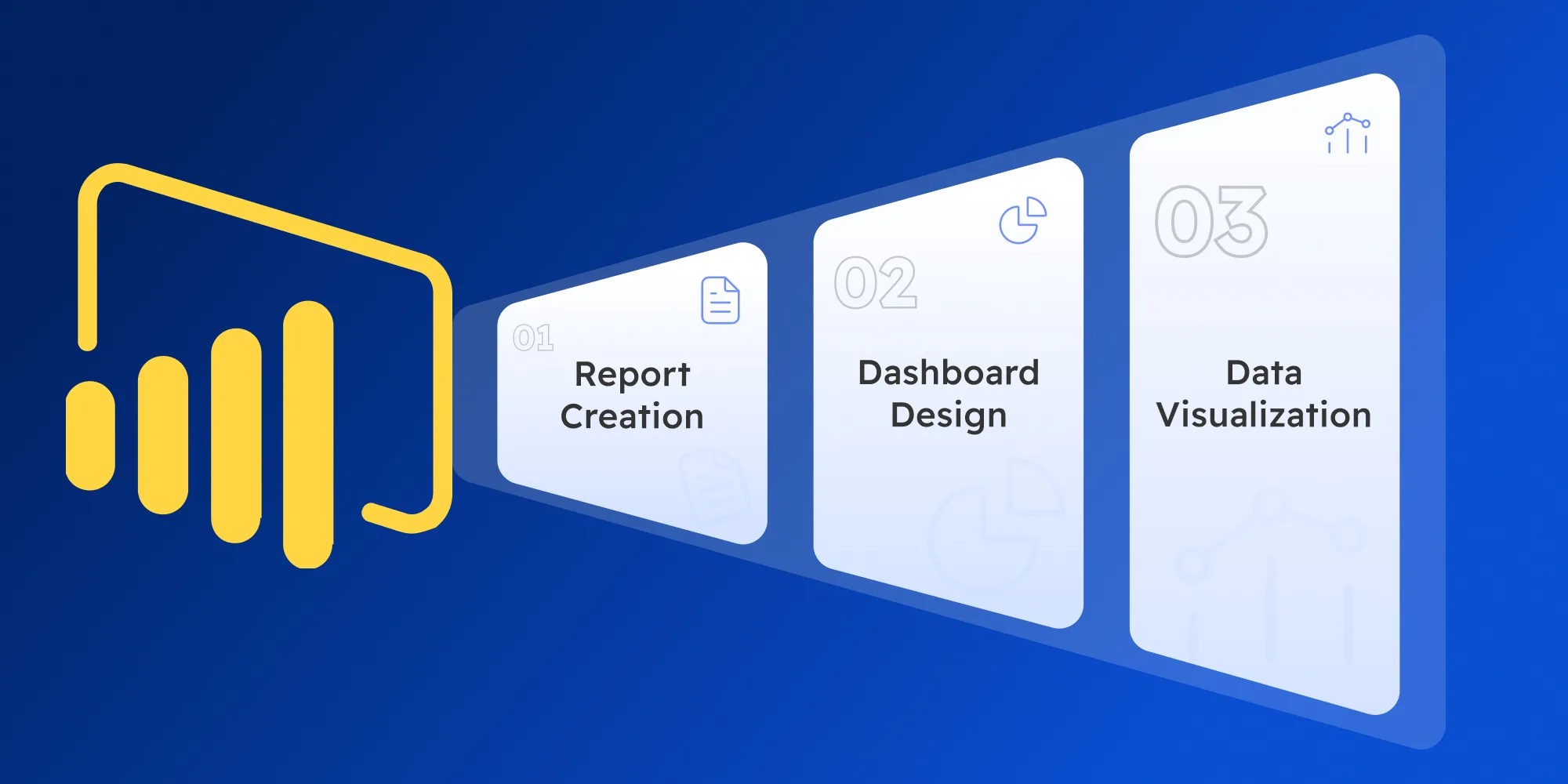
Power BI’s Primary Capabilities
Report Creation: Build detailed, customized reports that offer deep insights into your data, complete with interactive elements.
Dashboard Design: Create visually appealing, dynamic dashboards that give you a snapshot of your key metrics and performance indicators.
Data Visualization: Transform raw data into easy-to-understand visuals—charts, graphs, and maps—that tell the story behind the numbers.
The Importance of Power BI in Today’s Business Landscape
Power BI helps businesses leverage the full potential of their data, providing real-time insights that are critical for maintaining a competitive edge.
By bringing together data from disparate systems, Power BI allows businesses to track key performance indicators (KPIs), uncover trends, and evaluate operational performance—all in one place.
The result? Better decisions, improved productivity, and enhanced profitability.
Key Benefits of Power BI for Businesses:
Data-Driven Decisions: Power BI ensures that business decisions are based on facts, not assumptions. With access to real-time data, you’re always in the loop.
Real-Time Insights: Track KPIs and metrics in real-time, enabling agile decision-making and the ability to adapt quickly to changes.
Enhanced Efficiency: Streamline reporting and data analysis so your teams can focus on making decisions rather than spending time on manual data compilation.
Transform Your Data, Transform Your Business!
With DITS’ specialized Power BI Consulting, you can turn your data into strategic decisions that fuel business growth.
What makes Power BI the go-to tool for businesses of all sizes?
Here’s a breakdown of some of its most valuable features:
Feature
What It Means for You
Data Connections
Power BI integrates seamlessly with multiple data sources, from databases to cloud services, making data aggregation easier than ever.
Data Transformation (Power Query)
Clean and transform your data with Power Query, a user-friendly tool that simplifies the process of preparing your data for analysis.
Visualization Options
Choose from a wide array of charts, maps, and graphs to visualize your data, making complex information easy to digest and act on.
AI-Driven Insights
Built-in AI capabilities help you uncover hidden trends and predict future outcomes, allowing for more proactive decision-making.
Security
Power BI’s advanced security features, including encryption and role-based access, ensure that your data is safe and compliant with global standards.
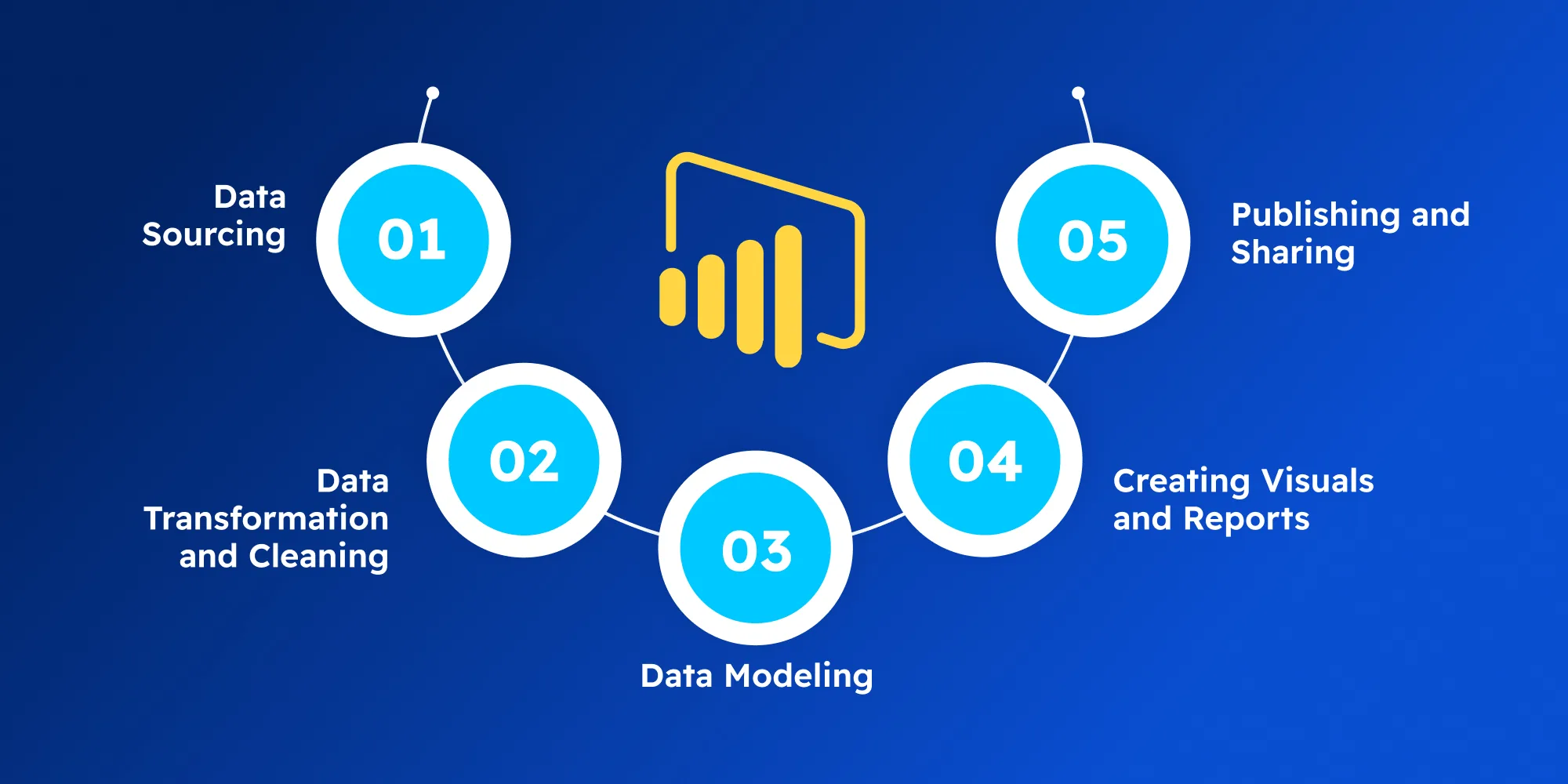
How Does Power BI Work? (Basic Workflow)
Data Sourcing: Power BI starts by connecting to your data—whether it’s in an Excel file, cloud service, or database. You can import data from various sources in just a few clicks.
Data Transformation and Cleaning: Once your data is in Power BI, you can use Power Query to clean, filter, and shape it to suit your analysis needs. It’s a crucial step to ensure your data is accurate and usable.
Data Modeling: Next, Power BI allows you to create relationships between your datasets, define measures, and add custom calculations that provide deeper insights into your data.
Creating Visuals and Reports: Now comes the fun part—designing your report or dashboard. With an intuitive drag-and-drop interface, you can create stunning visualizations that bring your data to life.
Publishing and Sharing: Once your reports are ready, you can publish them to the Power BI Service for sharing across your organization. Real-time updates ensure that everyone stays on the same page.
Power BI Components Explained
When it comes to Power BI, there’s more than one way to access its powerful features. Here's a breakdown of the main components that make Power BI such a versatile tool for businesses of all sizes.
Power BI Desktop
This is the heart of Power BI for most users. A Windows-based application, Power BI Desktop allows you to create reports and data models on your local machine. It’s where the magic happens— importing, transforming, and visualizing data, all in one place.
The beauty of Power BI Desktop? It's free.
You can connect to a variety of data sources, clean and model your data, and create stunning reports that can later be shared across platforms.
Power BI Service
This cloud-based service is where collaboration comes to life. Once you've built your reports and dashboards in Power BI Desktop, you can publish them to the Power BI Service. Here, users can access, share, and interact with your reports in real time.
It’s where the insights are democratized, allowing team members to explore data with interactive visuals, refresh data in real time, and get the latest updates without having to manually download new files.
Power BI Mobile
For decision-makers always on the move, Power BI Mobile is a game changer. This app gives you full access to your reports and dashboards, whether you’re in the office or traveling across the globe.
It’s all about data accessibility—
Whether it’s a quick glance at KPI trends or digging deeper into business insights, Power BI Mobile ensures you're never disconnected from the pulse of your business.
Power BI Report Server
For organizations that need to keep their data on-premises, Power BI Report Server is the solution. This component lets businesses host and manage their Power BI reports within their own infrastructure.
It provides the same features as Power BI Service but ensures your data stays within the company’s secure walls—ideal for businesses with strict compliance or regulatory requirements.
With DITS, Maximize Power BI’s Components for Real Impact
We’ll help you integrate Power BI’s diverse components seamlessly to turn your data into actionable insights better than all the Power BI Consulting firms!
Selecting the right Power BI implementation partner is crucial. Why? Because implementing Power BI goes far beyond just purchasing a license and clicking a few buttons. It’s about ensuring the tool is tailored to your organization’s unique needs—whether that’s custom reporting, advanced data modeling, or integrating complex data sources.
A specialized partner, like DITS, can ensure that your Power BI solution is fine-tuned to drive real business value.
Factors to Consider
Experience & Expertise: Your ideal Power BI partner should have a proven track record with Power BI and understand the sector you operate in to deliver more relevant, impactful solutions.
Customization Skills: Power BI is highly customizable, but not all know how to fully harness its capabilities. Your partner should know how to precisely and extensively leverage this flexibility.
Support & Training: A good implementation partner will provide you with training, resources, and support to ensure your team can navigate Power BI long after the initial implementation.
Power BI Consulting Rates
When planning to work with Power BI consulting firms, it's important to understand the factors that influence consulting rates. These rates can vary significantly depending on several key elements, and knowing what drives these costs will help you make a more informed decision.
Project Scope: If your project requires handling large datasets, integrating multiple data sources, or implementing advanced analytics, the rates will likely be higher due to the technical expertise required.
Customization Needs: Tailoring Power BI to meet the specific needs of your business requires additional skills and effort. Custom-built dashboards, specialized reports, and sophisticated visualizations will increase the level of work needed, thus affecting the cost.
Consultant Expertise: The level of experience and specialization of the consultant also influences the rate. Consultants with a proven track record and deep expertise in Power BI, particularly for large-scale or complex implementations, typically charge more.
At DITS, we understand that cost-effectiveness is key. By choosing the right Power BI consulting partner, you'll ensure a smoother, more efficient implementation. We work with you to find the best balance of service and price tailored to your business needs.
Reach out to us to discuss how we can help you get the most value out of Power BI—at the best price.
Power BI That’s Big on Value, Low on Cost - Only with DITS!
Why pay more? Get all the benefits of Power BI at the best value with customized Power BI Consulting services and solutions that match your budget.
Power BI is one of the most popular business intelligence tools due to its affordability, ease of use, and seamless integration with Microsoft products. However, several other BI tools offer unique strengths.
In this section, we’ll compare Power BI with Tableau, Looker, and Qlik, focusing on factors that can help you choose the right tool for your business needs. Here's a quick look at how Power BI stacks up against its competitors:
Feature
Power BI
Tableau
Looker
Qlik
Ease of Use
Highly intuitive, easy to use for beginners
Steeper learning curve, more complex
Powerful but requires technical expertise
Can be complex, steep learning curve
Cost
Most affordable, with flexible pricing
Expensive, especially for large teams
High cost, more suitable for large organizations
Mid-range pricing, with additional costs for some features
Data Integration
Seamless integration with Microsoft products, flexible data connectors
Excellent, but integration can be challenging without additional tools
Strong data modeling and integration, best for larger datasets
Strong data integration capabilities, but can be complicated
Visualization Capabilities
Solid visualizations, customizable dashboards
Industry-leading visualizations
Good visualization, but not as strong as Tableau
Advanced analytics but basic visualizations
Deployment Speed
Fast setup, especially for businesses using Microsoft Office 365
Slower setup, especially for complex deployments
Slower deployment often requires technical expertise
Longer deployment due to its complex features
Scalability
Highly scalable, suitable for businesses of all sizes
Scalable, but can be costly for smaller businesses
Excellent for large enterprises with complex data
Highly scalable but requires significant technical knowledge
Support & Training
Extensive Microsoft support, plus online resources
Good support, but training can be expensive
Strong support, but requires technical staff
Excellent support, but can be costly
Power BI Use Cases for Different Industries
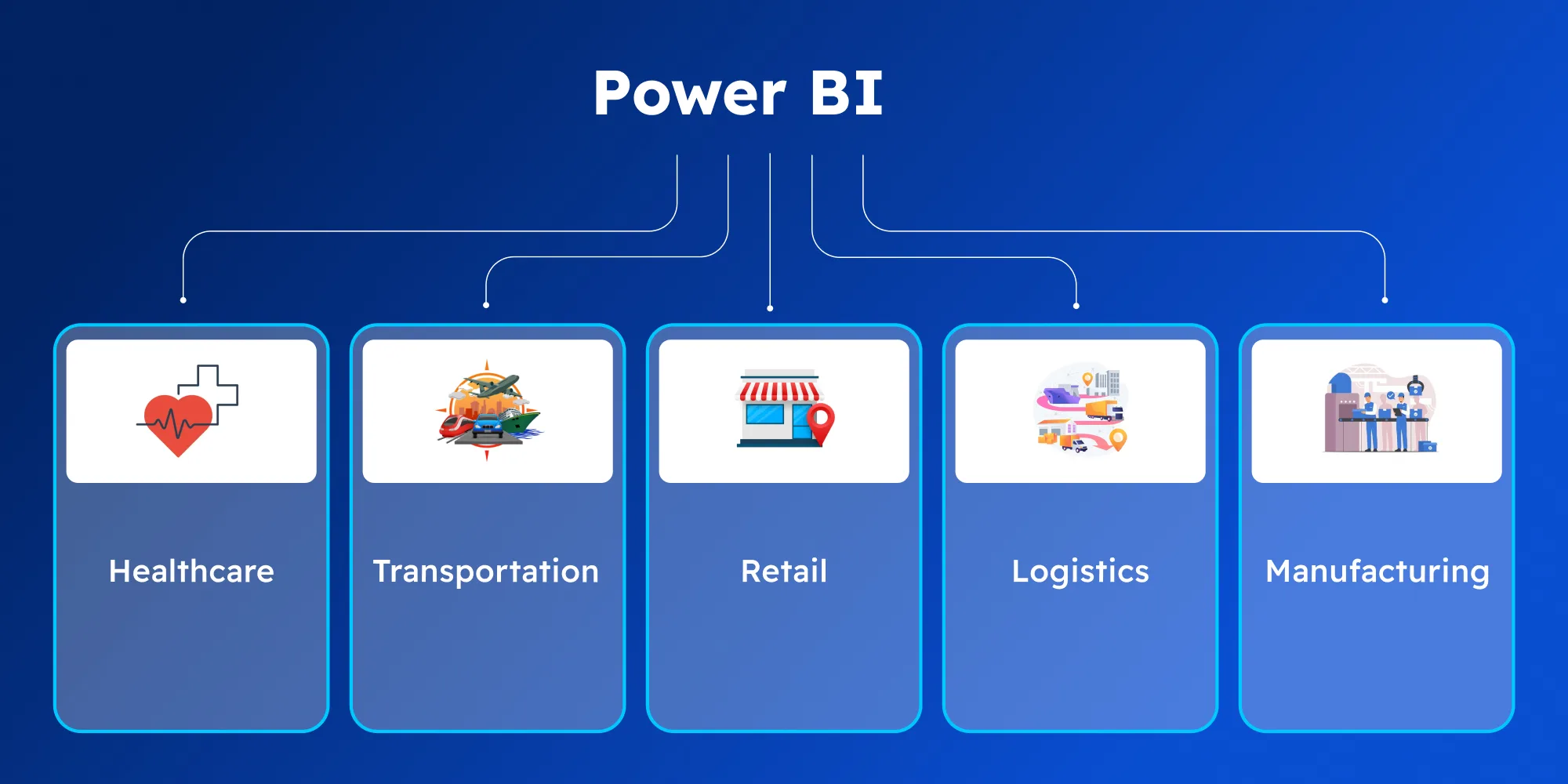
The beauty of Power BI lies in its versatility. Whether you're in healthcare, retail, transportation, or manufacturing, Power BI can be a game-changer. Here’s how businesses across various industries are leveraging it:
Power BI for Healthcare
Hospitals and clinics utilize Power BI to visualize patient data, track performance metrics, and streamline operations. By analyzing trends and identifying areas for improvement, healthcare organizations can enhance patient outcomes and optimize resource management.
Power BI for Transportation & Logistics
In transportation and logistics, Power BI helps companies monitor fleet performance, track shipments in real time, and optimize routes. It also allows for better demand forecasting, logistics planning, and inventory management, making supply chain operations more efficient and cost-effective.
Power BI for Retail
Retailers use Power BI to analyze sales trends, track inventory, and forecast demand. By gaining insights into customer behavior, optimizing supply chains, and refining sales strategies, businesses can stay ahead of market trends and drive growth.
Power BI for Manufacturing
Manufacturers use Power BI to track production efficiency, monitor equipment performance, and manage supply chain logistics. By identifying bottlenecks and reducing operational costs, manufacturers can improve productivity and ensure smoother operations.
No matter your industry, Power BI can provide the insights you need to make informed, data-driven decisions and stay ahead of the competition.
The Future of Power BI and Business Intelligence
Business intelligence (BI) is evolving rapidly, and Power BI is at the forefront. With the rise of AI, machine learning, and big data, businesses need tools that can harness these technologies. Power BI’s integration with Microsoft products, AI capabilities, and scalable cloud architecture position it as a future-proof solution for businesses aiming to make smarter, data-driven decisions.
Power BI in the Future: Key Stats
$44.3 billion: The BI market is projected to reach this value by 2027.
Power BI holds a 17% market share in the BI tools industry.
67% of businesses report improved performance through BI tools like Power BI.
By 2025, over 50% of businesses will rely on cloud-based analytics.
Empowering Businesses for Success
Power BI helps businesses optimize operations, improve decision-making, and stay ahead of the competition with its real-time reporting and AI-driven insights. As it evolves, it will continue delivering greater value by enabling businesses to predict trends and drive innovation.
Power BI offers limitless benefits—transforming complex data into clear insights, boosting agility, and enabling better decision-making across all levels.
How Power BI Resolves Business Challenges
30% faster decision-making: Businesses make faster, more informed decisions.
40% cost reduction: Automation and reporting minimize manual work.
20% higher productivity: Power BI’s user-friendly interface boosts employee efficiency.
45% more accurate forecasting: Predictive analytics leads to better business strategies.
60% improved data accessibility: Cloud architecture ensures seamless access anywhere.
How DITS Can Help Your Business Leverage Power BI
At DITS, we don’t just implement Power BI—we tailor it to meet your unique business needs. We know every organization has different challenges, which is why we ensure Power BI aligns with your specific goals, maximizing its value for your business.
Unlock the Full Potential of Power BI
Our team of Power BI experts will handle everything from data integration and automation to advanced reporting and interactive dashboards. We’ll optimize Power BI to become an integral tool for decision-making, improving workflows, and providing real-time insights that drive tangible results.
Your Trusted Power BI Implementation Partner!
Partnering with DITS means working with a proven team that has consistently helped clients streamline their data processes and achieve business growth. Let us align Power BI with your strategy to enhance performance and deliver long-term success.
Ready to elevate your business? Reach out today and stay tuned for more insights on how Power BI can transform your operations.
Frequently asked questions
Power BI is a business analytics tool by Microsoft that enables businesses to visualize data, generate reports, and make data-driven decisions. It simplifies complex data and makes it accessible, improving insights and strategic planning.
Dinesh Thakur
25+ years of IT software development experience in different domains like Business Automation, Healthcare, Retail, Workflow automation, Transportation and logistics, Compliance, Risk Mitigation, POS, etc. Hands-on experience in dealing with overseas clients and providing them with an apt solution to their business needs.